VST3 · Windows x64 · Free & open source

One take.
Two perspectives.

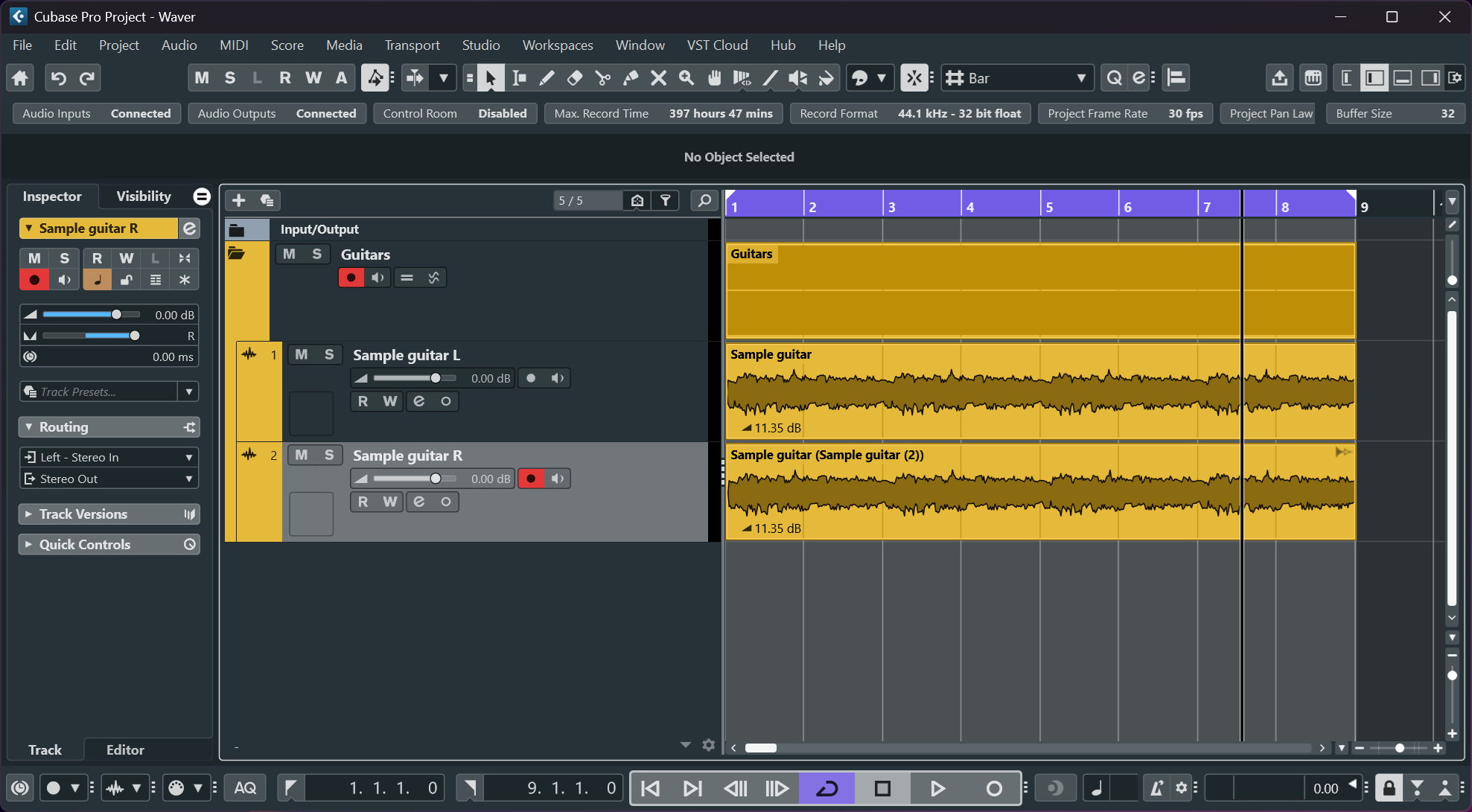
Waver simulates a double-tracked electric guitar from a single recording. Real-time stereo widening — no second take, no timing sync, no bleed.

Track A
◀ L
WAVER
Track B (simulated)
R ▶

Double-tracking takes time.
Waver doesn't.

A genuine double-tracked guitar — the same part played twice, panned hard left and right — is one of the most powerful sounds in rock and metal production. But recording two identical performances takes hours of studio time, and staying tight enough to sound cohesive without sounding like a chorus pedal is harder than it looks.

Waver lets you dial in the simulation during playback and mixing, without committing to audio early — and without any second take at all.

0 extra takes required
times you can tweak it
free always

Everything the real thing has

Simulates the three physical reasons a second take sounds different

Variable delay + drift

Haas delay (5–40 ms) plus an IIR-smoothed random walk simulates the natural timing imprecision of a real second performance — not a chorus sine LFO.

Pitch detune

Granular dual-pointer pitch shift with sin² crossfade. Up to ±25 cents. No STFT, no smearing — works on fully distorted signals.

Linkwitz-Riley crossover

Low band stays mono. Only the high band gets double-tracked. Sums to flat — no phase cancellation in the low end when the mix is folded to mono.

Solves the Mimiq problem

IR convolution

Load any WAV impulse response — different mic position, different room, different cab — and convolve it onto the simulated take only. Normalised on load.

Cubase-native

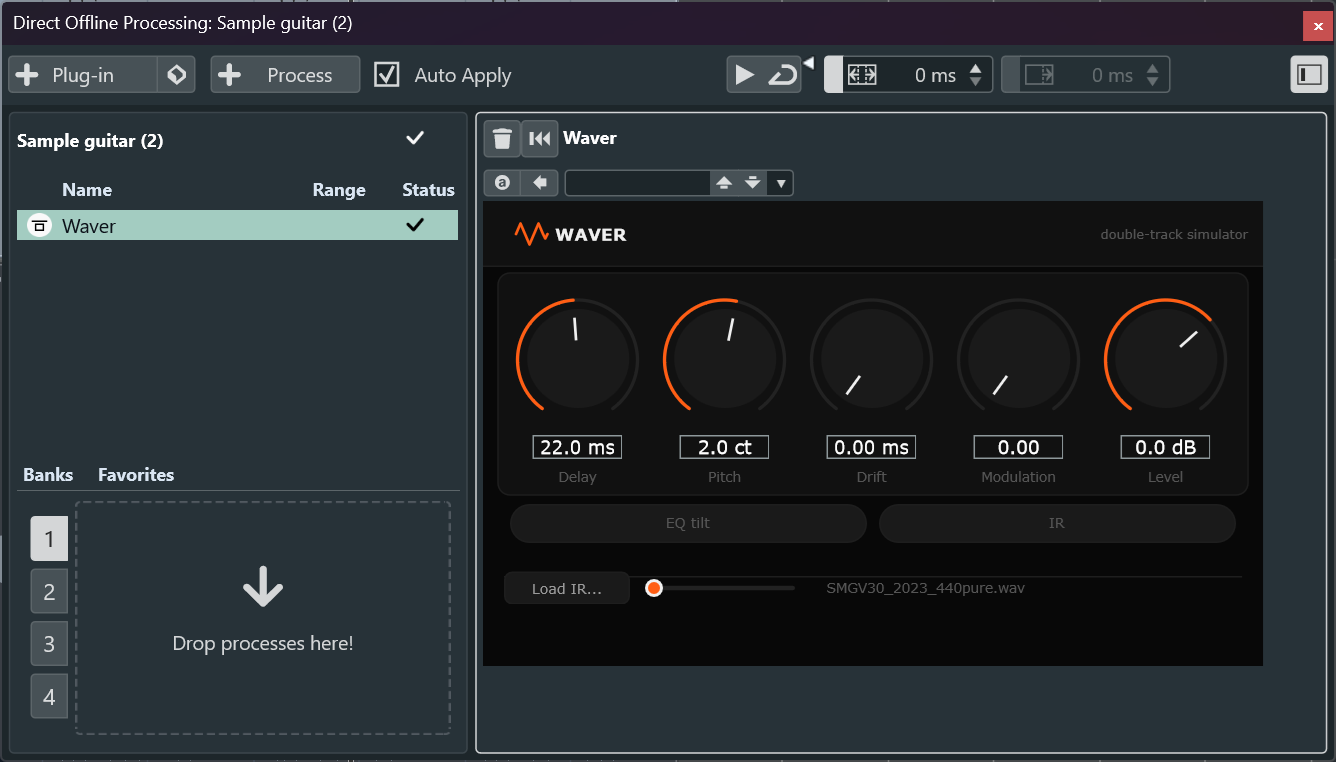
Full PDC support — latency reported so Cubase compensates automatically. Works as a real-time insert or via Direct Offline Processing (F7). Project state and IR path save with the session.

Hot signal safe

tanh soft clipper on the output stage — starts acting at −6 dBFS and saturates gracefully, so hot or already-distorted recordings won't hard-clip through the chain.

Signal chain

Mono in. The signal is split and processed separately for L and R.

🎸
Mono
guitar in
LR4
crossover
Low band
(mono, unchanged)
Pitch shift
+ drift delay
IR
convolution
EQ tilt
+ level
Soft
clipper
🔊
Stereo
L + R out

L = low + dry high  ·  R = low + processed high

Parameters

Double-tracking

ControlRangeDefaultDescription
Delay5–40 ms22 msBase Haas delay
Pitch±25 ct+8 ctDetune of simulated take
Drift0–5 ms1.8 msRandom timing variation depth
Level−12–+6 dB−1.5 dBLevel of simulated take
Crossover60–300 Hz150 HzMono/stereo split frequency
EQ tilton/offon−2.5 dB shelf cut @ 4 kHz
Swap L/Ron/offoffSwap sides

Impulse Response

ControlDescription
Load IRLoad a WAV impulse response (room, mic, cabinet)
IR enabledToggle convolution on/off without unloading
IR mix0–100 % wet/dry blend on the B track
💡 IR tips
  • Short room (20–80 ms) → different room "feel" on the take
  • Mic scatter (< 10 ms) → different mic position/angle
  • Guitar cab IR → sounds like a second amp position
Latest release

Download Waver

Free and open source. Windows VST3, x64. Tested in Cubase 12/13.

1 Download and unzip Waver-windows-x64.zip
2 Copy Waver.vst3 to C:\Program Files\Common Files\VST3\
3 Rescan plugins in Cubase: Studio → VST Plug-in Manager → Rescan

Requirements

  • Windows 10 / 11, 64-bit
  • VST3-compatible DAW (Cubase, Nuendo, Reaper, Studio One…)
  • No third-party runtime required

Build from source

  • Visual Studio 2022+
  • CMake ≥ 3.22
  • JUCE (git submodule, included)
git clone --recurse-submodules \
  https://github.com/gurrish/waver-vst
cmake -B build -G "Visual Studio 17 2022" -A x64
cmake --build build --config Release